+1 315 210 4488
 +91 99888 06489


August 18, 2026
Choosing a CMS is less about picking the latest technology and more about finding what fits your website, team, and long-term goals.
WordPress is easier and cheaper to get started with, and it still powers around 40% of all websites. A headless CMS costs more and requires more technical work to set up, but it offers better performance and greater flexibility for businesses that want content to appear on multiple platforms- such as a website, mobile app, or other digital screens. The right choice between WordPress and headless CMS depends on your team’s technical skills and what your website actually needs to do.
Wondering which one to consider? Explore everything about WordPress vs Headless CMS in this post.
Get RichestSoft Guidance for Your WordPress or Headless CMS Project
Get RichestSoft Guidance for Your WordPress or Headless CMS Project
What Is WordPress & How Does It Work?
WordPress is a platform that lets you build and operate a website without needing to know coding.
Think of it like a website version of Microsoft Word. You just type, click, and publish. No tech skills needed. A WordPress website development company can also help businesses create, customize, and maintain WordPress websites based on their specific requirements.
How Does WordPress Work?
WordPress keeps everything about your website — text, photos, pages — stored in one place.
Here’s what happens, step by step, when someone opens your website:
- They click your link.
- WordPress pulls up all the content (text, images, etc.) from where it’s stored.
- It puts everything together into a finished webpage.
- The page shows up on their screen, ready to read and click around.
Why People Like WordPress
- No coding needed – update your site like typing in a document
- Quick to set up – get your website live fast
- Add features easily – contact forms, online stores, SEO tools — just install a plugin.
- Looks the way you want – pick a ready-made design or build your own
- Free to use – saves money compared to building a site from scratch
- Anyone on your team can update it – no need to call a developer every time
- Tons of help available – huge community of users and experts online
Who Is WordPress Good For?
WordPress is perfect if you want:
- A website that’s easy to manage yourself
- Quick updates without hiring help
- A way to build a site without spending a lot
What Is a Headless CMS and How Does It Work?
A Headless CMS is a tool that stores and manages your content, but doesn’t control how it looks on the screen.
Think of it like this: with WordPress, the “body” (design) and “head” (content) are attached together. On the other hand, with a Headless CMS, you cut off the “head,” which means there’s no built-in website design. It only handles the content. Instead, usually a developer builds the actual website or app that displays it.
How does it work?
A Headless CMS stores all the content, from text and images to product info, safely separating it from how it’s displayed.
Here’s what happens, step by step, when someone opens a website using a Headless CMS
- They click your link.
- The website (built separately) sends a request to the Headless CMS asking for content.
- The Headless CMS returns only the raw content (such as text and image files) — not a full webpage.
- The website’s own code arranges that content into a page.
- The finished page appears on their screen.
Understand through this example- it’s like ordering ingredients from a grocery store (the Headless CMS) and then cooking the meal yourself (the website/app). The store doesn’t cook for you — it just delivers what you need, and you decide how to prepare and present it.
Why People Like a Headless CMS
- Works everywhere – the same content can appear on a website, mobile app, smartwatch, or even a TV screen
- Faster performance – websites built this way often load quicker
- More design freedom – developers aren’t limited by a fixed template or theme
- Future-proof – easy to plug into new devices or platforms later
- Better for large teams – developers and content writers can work separately without stepping on each other
- Secure – since there’s no public-facing “design layer,” there’s less risk of common website attacks
Who Is a Headless CMS Good For?
A Headless CMS is a good fit if you want:
- A website or app with a highly custom design
- Content that needs to appear on multiple platforms (web, app, etc.)
- A team that has developers on hand to build the front-end
It works well for large businesses, apps, ecommerce brands, and companies needing content on multiple devices.
WordPress vs Headless CMS: Key Differences
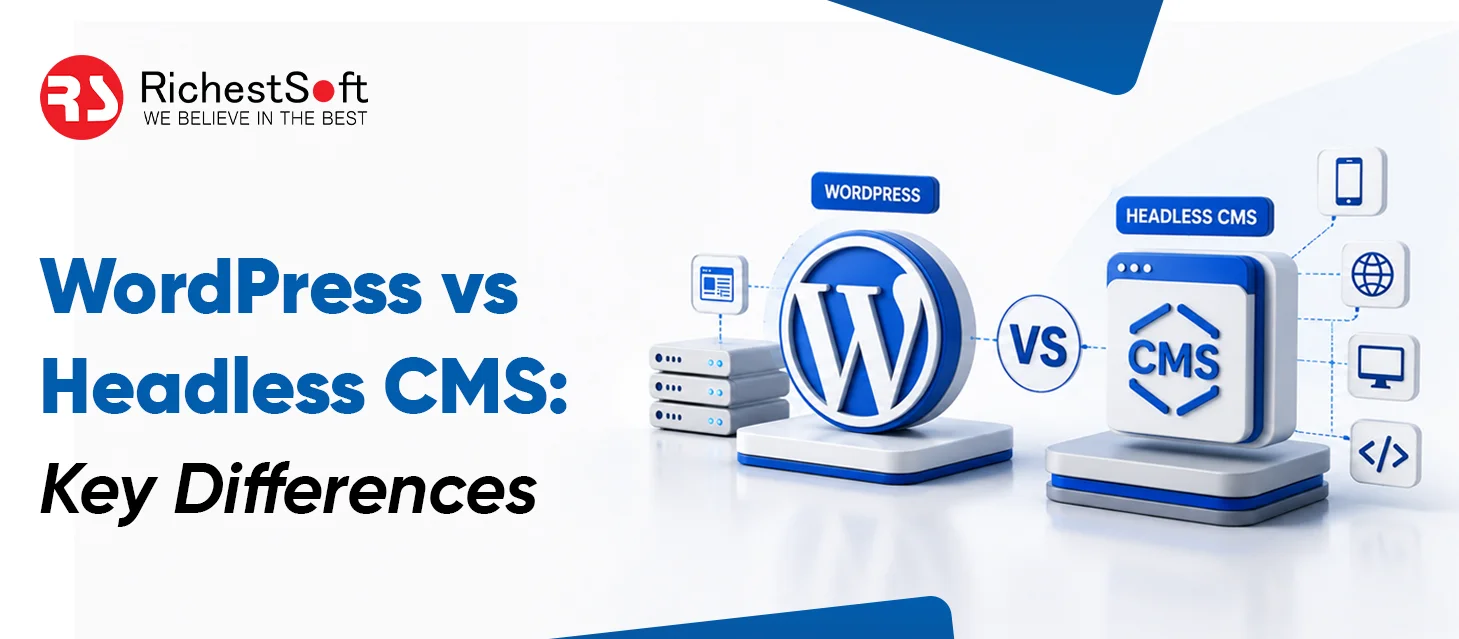
WordPress and Headless CMS can both build modern websites, but they differ in how they work, how easy they are to manage, their cost, and how much control developers have.
1. How They Work
WordPress:
WordPress keeps your website content and the visible website together in one system. You can manage your pages, blogs, images, and design from the same dashboard.
Headless CMS:
A headless CMS keeps your content separate from the website. The content is stored in the CMS and then shown on the website through a connection between the two systems.
Simple difference: WordPress keeps everything together, while a headless CMS keeps the content and website separate.
2. Content Management
WordPress:
- Easy for beginners to use
- Marketers can publish blogs themselves
- Pages and content can be updated quickly
- Many plugins make content management easier
Headless CMS:
- Content is also easy to add and manage
- The way that content appears on the website usually needs developer support
- It offers more freedom for custom websites
3. Website Speed
Both can provide a fast website when they are properly built.
WordPress:
- Can be very fast with good hosting and caching
- Too many plugins can slow the website down
- Images and website code should be optimized
Headless CMS:
- Can deliver very fast pages
- Gives developers more control over how pages are built
- Works well for websites where speed is a major priority
Simple difference: Headless gives more control over speed, but a properly optimized WordPress website can also perform very well.
4. Cost
WordPress:
- Free to use
- Usually cheaper to build
- Many ready-made themes and plugins are available
- Good choice for businesses with a limited budget
Headless CMS:
- Usually needs more development work
- May require separate CMS, website, and hosting costs
- Can cost more to build and maintain
5. Design and Customization
WordPress:
- Easy to customize with themes and plugins
- Good for standard business websites
- Custom designs are also possible
Headless CMS:
- Gives developers more freedom to build the website from scratch
- Works well for unique designs and advanced website experiences
- Can use modern website technologies
Simple difference: WordPress is easier, while headless gives developers more freedom.
6. Security
WordPress:
- Needs regular updates
- Plugins and themes should be kept secure
- Good hosting and security tools are important
Headless CMS:
- Keeps the content system separate from the public website
- This can reduce some security risks
- Still needs proper security and access controls
Simple difference: Headless provides more separation, but both options need proper security.
7. SEO
Both WordPress and Headless CMS can work well for SEO.
WordPress:
- Easy to manage page titles and descriptions
- SEO plugins make optimization easier
- Marketers can make many SEO changes themselves
Headless CMS:
- Can also support strong SEO
- Developers need to set up important SEO elements correctly
- Gives more control over website structure and performance
Simple difference: WordPress makes SEO easier to manage, while headless gives developers more control.
8. Growing Your Website
WordPress:
- Works well for most business websites
- Can handle more traffic with proper hosting and optimization
- May need more maintenance as the website becomes very large
Headless CMS:
- Works well for large and complex websites
- Different parts of the website can be managed separately
- Better suited to businesses expecting major growth
Simple difference: WordPress is enough for most websites, while headless can be useful for larger and more complex projects.
9. Using Content on Different Platforms
This is where Headless CMS can be especially useful.
WordPress:
- Mainly designed for websites
- Content can also be shared with apps, but extra work may be needed
Headless CMS:
- The same content can be used on a website, mobile app, or other digital platforms
- Businesses can manage the content from one place
Simple difference: Choose headless if you want the same content to work across websites, apps, and other platforms.
Quick Comparison
| Factor | WordPress | Headless CMS |
|---|---|---|
| Ease of use | Easier | Requires more setup |
| Content editing | Very simple | Structured but more technical |
| Performance | Can be very fast when optimized | High performance potential |
| Scalability | Good with proper optimization | Excellent flexibility |
| Development | Easier for standard websites | Better for modern custom frontends |
| Cost | Usually lower | Usually higher |
| SEO management | Easier | Requires more technical work |
| Security | Needs regular updates | Strong separation but still needs security |
| Multi-channel content | Possible | Excellent |
| Best for | Business websites, blogs, content-heavy sites | Complex, high-scale, multi-platform projects |
WordPress vs Headless CMS: Which Is Best for Your Business?
Some businesses choose WordPress for a simple, affordable website that your team can easily manage; some leverage Headless CMS to create a highly customized website, multiple digital platforms, or greater control over the frontend.
However, rather than using both approaches separately, many businesses manage their websites effectively through a hybrid solution. Wondering why?
Headless WordPress: A Middle-Ground Option
WordPress is used as the content management system, while the website’s frontend is separated from WordPress and built using modern technologies.
In simple terms, WordPress manages the content, while the Headless setup controls how it is displayed on the website.
How Does a Hybrid WordPress Setup Work?
The process is fairly simple:
- WordPress manages content: Your team can continue adding blogs, pages, images, and other content through WordPress.
- Headless approach separates the frontend: The website visitors see is built separately from the WordPress backend.
- API connects both sides: Content from WordPress is sent to the frontend through an API.
- Modern frontend improves flexibility: Developers can use technologies such as React or Next.js to create the website experience.
Why Choose a Hybrid Solution?
A hybrid setup can provide a balance between WordPress’s easy content management and the flexibility of headless architecture.
Main benefits include:
- Easy content management for marketing teams
- More freedom for website design and development
- Better control over website speed and performance
- Ability to use modern frontend technologies
- Option to deliver content to other platforms through APIs
- Allows businesses to keep their existing WordPress content
When Is a Hybrid Solution a Good Choice?
A Headless WordPress setup can be useful when:
- You already have a large WordPress website.
- Your content team wants to continue using WordPress.
- You want a more modern and flexible frontend.
- Website performance is becoming more important.
- You plan to connect your content with mobile apps or other platforms.
- You want to modernize your website without moving all content to a completely new CMS.
Which Option is Best?
Every business has unique requirements; therefore, when it comes to choosing among WordPress vs Headless CMS or a hybrid solution, the choice should be based on several factors like-
- Budget
- Team skills
- Website requirement
- Future scalability
Get RichestSoft Guidance for Your WordPress or Headless CMS Project
Get RichestSoft Guidance for Your WordPress or Headless CMS Project
Conclusion
Not sure whether WordPress or a headless CMS is right for your business? RichestSoft can help you make the right choice based on your goals, content requirements, budget, technical needs, and plans for future growth. From selecting the right architecture to building and scaling your website, our team helps you create a solution that works for your business today and tomorrow.