+1 315 210 4488
 +91 99888 06489


June 18, 2026
Unlike traditional calorie counters, Cronometer is built around accurate nutrition tracking, offering advanced features such as macro and micronutrient analysis, custom recipes, barcode scanning, and integrations with fitness devices and health apps. To build a calorie-counting app like Cronometer, businesses need an accurate development strategy.
If you’re planning to develop a similar solution, understanding the right features, technology, and development process is essential. Explore this post and understand everything about the step-by-step development process.
Build a Feature-Rich Calorie Counting App Like Cronometer with RichestSoft
Build a Feature-Rich Calorie Counting App Like Cronometer with RichestSoft
What is Cronometer
The Cronometer app is a calorie-counting app that offers overall nutrition tracking facilities to track-
- Calories
- Macronutrients
- Vitamins
- Minerals
- Exercise
- Wellness
Several fitness fanatics, athletes, nutritionists, and others use the app for nutritional details. Here are some key Cronometer app features-
1. Food and Calorie Tracking
Track calories, proteins, lipids, carbs, vitamins, and minerals by logging meals. The software gives nutritional information for 95 nutrients and chemicals, providing more detail than calorie-counting applications.
2. Food Database and Barcode Scanner
Cronometer offers a free barcode scanner and a vast validated food database. Scan goods, search manually, or create unique ingredients and recipes to add meals easily.
3. Micro- & Macronutrient Analysis
Detailed nutritional analysis is Cronometer’s strength. Proteins, lipids, carbohydrates, vitamins, minerals, electrolytes, and other nutrients may be tracked.
4. Custom Recipes and Food
Food tracking is quicker and more customized when users develop their own meals, recipes, and ingredients. Advanced meal management and recipe import are premium capabilities.
5. Tracking Your Health and Fitness
For a complete view of health, Cronometer records not just weight but also exercise, hydration, heart rate, blood sugar, and sleep.
6. Connecting Apps and Devices
Compatible fitness trackers include Apple Health, Apple Watch, Garmin, and Fitbit, among others. Exercise, health, and nutrition may all be tracked by users.
7. Personal Nutrition Goals
Users may specify calorie and nutrition goals for weight reduction, muscle growth, keto, vegan, or other health goals. The software offers charts and stats to keep users on target.
8. Business Model Cronometer
The freemium Cronometer subscription model. The free app tracks nutrition, while premium memberships and professional solutions produce cash.
9. Free Basic Plan
The app offers free meal monitoring, barcode scanning, creative recipes, limited analytics, and connectors.
10. Gold Subscription
Advanced reports, long-term charts, meal ideas, deeper analytics, and an ad-free experience are available to premium subscribers.
11. Cronometer Pro
Cronometer’s professional platform lets dietitians, nutritionists, healthcare professionals, schools, and research organizations examine patient nutrition data and provide individualized recommendations.
Step-by-Step Process to Build a Calorie Counting App Like Cronometer
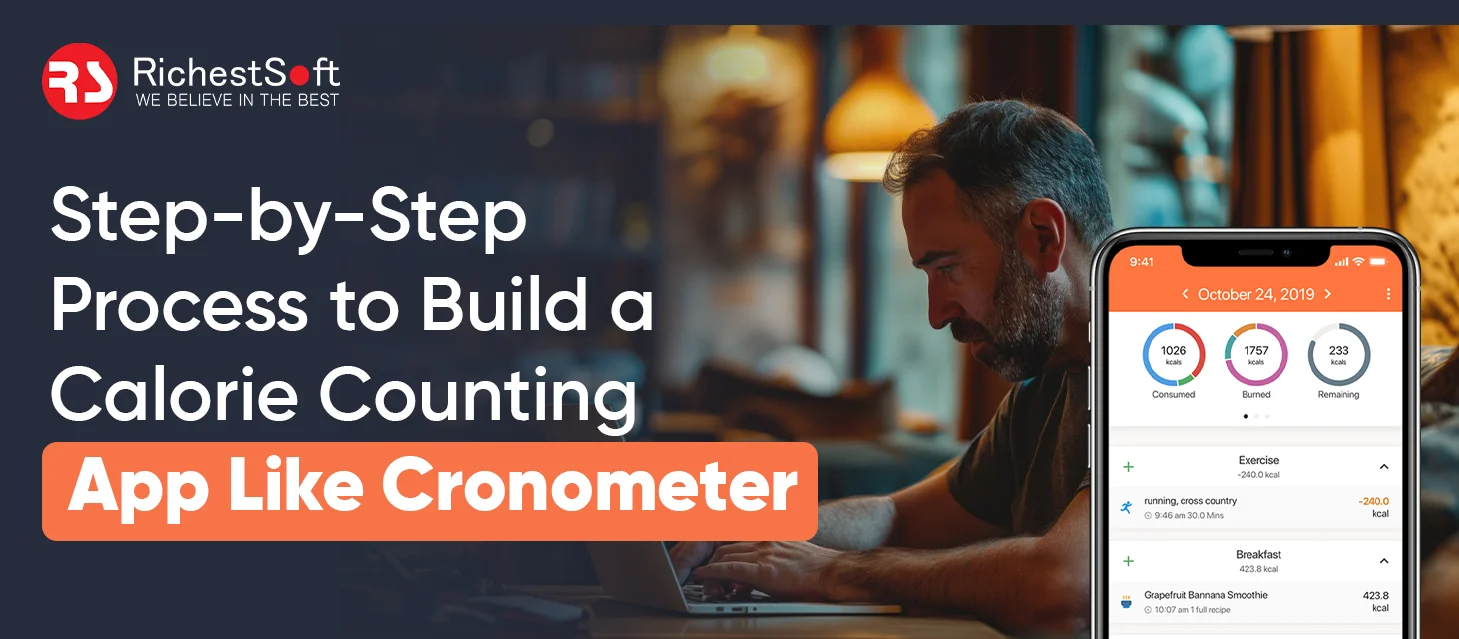
Building a calorie monitoring software like Cronometer takes a methodical strategy that combines precise nutrition data, a smooth user experience, and dependable health connections. By getting the development phases right, organizations may build a scalable health and nutrition platform that creates long-term value for users.
1. Determine Your Target Users and Goals
Identify who the software is for. Define your target audience:
- People attempting to shed pounds
- Fitness lovers and athletes
- Health experts and nutritionists
- Keto, vegan, or other diet followers
- Chronic disease & diabetic audience
Know your audience to identify which aspects are most important.
2. UI/UX Design
After functionalities are decided, app interaction design begins. Food monitoring should be easy so users can record meals fast. Designers construct prototypes to evaluate the user experience and guarantee intuitiveness before development.
- Create basic food and progress tracking displays.
- Dashboards should display calories and nutrients.
- Test user experience via interactive prototypes.
- Allow users to record meals quickly.
3. Nutrition Database/Backend Development
This stage builds the app’s system. Developers build the food database and nutrition engine that properly estimates calories and nutrients.
- Create a nutrition database.
- Create calorie and nutrition calculators.
- Allow offline meal tracking.
- Set up secure login and data syncing.
4. Core Feature Development and Third-Party Integrations
This is when the app’s fundamental functionality is constructed. App engagement should be increased by adding features like:
- Meal Logging and Barcode Scanning
- Create bespoke recipes and monitor water.
- Support weight and health goal monitoring.
- Apple Health + Fitbit + Garmin + Google Health Connect
To retain your target audience for a long time, businesses must incorporate APIs for wearable devices.
5. Quality Assurance & Testing
Before it is launched, the app is rigorously tested for accuracy, security, and functionality. Since health applications deal with sensitive data, dependability and data security are very crucial.
- Check calorie and nutrition estimates.
- Test connections with wearable and health apps.
- Check for security and data protection.
- Make sure it works well on all devices.
6. Launch the App & Upgrade Constantly
Launch your app on app stores like Android and iOS devices after testing. But development doesn’t end with the release. Analytics and user comments help find improvements. Regular updates keep the app competitive and improve the overall experience.
- Launch the app in the App Store & Google Play Store.
- Track performance and how users are using it.
- Bug fixes and functionality improvements.
- Release frequent updates.
Build a Feature-Rich Calorie Counting App Like Cronometer with RichestSoft
Build a Feature-Rich Calorie Counting App Like Cronometer with RichestSoft
Conclusion
Thinking about building a powerful calorie-counting app like Cronometer? That’s exactly when RichestSoft can help.
RichestSoft creates business-specific health and fitness applications. We also help aspiring entrepreneurs at every stage of development, from conceptualization through execution to post-launch.
To get a custom app development strategy, contact us now.