+1 315 210 4488
 +91 99888 06489


January 1, 2026
How To Choose The Right Operations Management Software For Your Business – Operations management software assists a business in conducting its daily operations. It enables teams to plan and track, manage and optimize the main activities such as making products, maintaining inventory, moving work, scheduling, and utilizing resources. For growing companies, the appropriate tool can help to decrease the manual work, streamline operations, and assist people in making better decisions.
However, choosing the wrong tool can create confusion, slow teams down, and increase costs.
This blog explains how to choose the right operations management software clearly and practically.
What Is Operations Management Software?
Operations management software refers to an online platform that assists companies in managing their operations internally. It consolidates numerous tasks on one platform, which allows teams to work more effectively.
The software serves as a center to all the activities of the business and enables the companies to make the working process smoother, handle the inventory, distribute the resources, and keep an eye on the project completion. Having these processes managed through a single platform means businesses reduce manual errors, enhance communication between departments and enjoy real-time insights about their operations.
Common Functions of Operations Management Software
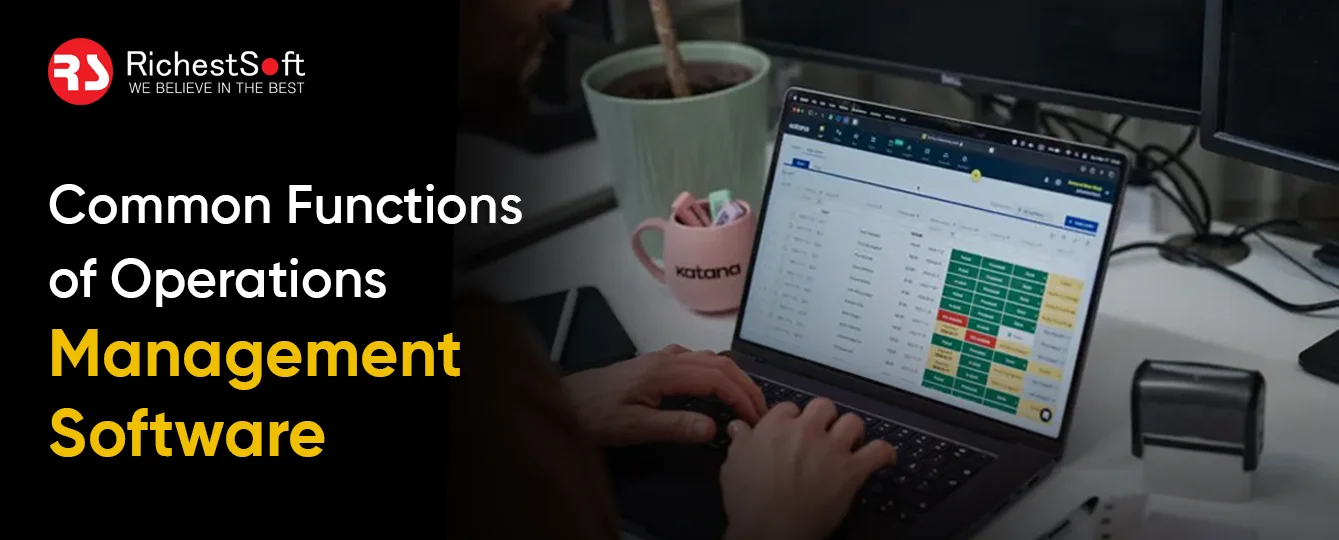
- Workflow and process management
- Inventory and supply chain tracking
- Resource and capacity planning
- Quality control and compliance tracking
- Reporting and performance monitoring
The goal is quite straightforward: To make businesses operate with fewer mistakes and less manual labor.
The Importance of Selecting the Right Software
Not all tools are the same. They are designed either to serve large businesses or small businesses. The right fit means:
- Teams adopt the system easily
- Processes improve instead of becoming complex
- Costs stay under control
- Data supports real business decisions
An excellent fit goes hand in hand with business objectives, team capabilities, and long-term strategies.
Key Steps to Choose the Right Operations Management Software

Step 1: Know your Business Requirements
Find out the real requirements of the business before buying software.
Identify Current Operational Challenges
Start by listing the problems teams face today. These may include:
- Manual tracking using spreadsheets
- Lack of visibility into workflows
- Inventory mismatches
- Delays in reporting
- Poor coordination between teams
Clear problems lead to clearer software requirements.
Define Short-Term and Long-Term Goals
Some companies require fast repairs, and some require planning to expand. Decide whether the software should:
- Support current operations only
- Handle future growth
- Expand across multiple departments or locations
This clarity helps narrow down options.
Step 2: Look for Core Features That Matter
Not every feature adds value. Focus on features that solve real problems.
Workflow and Process Automation
The software should help automate routine tasks. This reduces errors and saves time. Look for:
- Custom workflows
- Approval processes
- Task tracking
Real-Time Data and Reporting
Good operations decisions depend on accurate data. Choose software that offers:
- Real-time dashboards
- Custom reports
- Easy data export
Inventory and Resource Management
For businesses handling physical goods or shared resources, this is critical. Useful features include:
- Stock level alerts
- Resource allocation tools
- Demand forecasting
Step 3: Evaluate Ease of Use
Software just provides value when utilized by people.
- Easy Interface: The interface should be as simple as possible. Complicated systems delay adoption and time to train.
- Minimal Training Requirements: Choose software that teams can learn quickly. Clear navigation and simple terminology help users feel confident.
- Role-Based Access: Use various access levels for the users. This ensures that information is safe and minimizes confusion.
Step 4: Examine Integration Capabilities
The operations management software must be compatible with the existing systems.
Common Integrations to Look For
- Accounting software
- ERP systems
- CRM platforms
- Inventory or procurement tools
Strong integrations reduce duplicate work and keep data consistent.
Step 5: Evaluate Scalability and Flexibility
There is a variation in business requirements. As the business expands, so should the software.
- Scalability: Inquire about the system to support additional users, higher data volumes, additional locations, or teams.
- Customization Options: Flexible software and workflow tools should allow modifications to workflows, fields, and reports without major development.
Step 6: Check Security and Compliance
Operational data normally contains sensitive information.
- Data Security Standards: Find software with data encryption, secure cloud hosting, and frequent backups.
- Compliance Support: The software must maintain audit trails and issue compliance reports in case the company is engaged in regulated industries.
Step 7: Know about Pricing and Total Cost
Prices must be transparent and foreseeable.
- Pricing Models: The per-user pricing, feature pricing, and subscription plans are the most popular pricing models.
- Unseen Expenses to Consider: Set-up fee, customization fees, training fees, and upgrades of support.
Always consider the initial price, but focus on the overall cost over the long term.
Step 8: Vendor Support and Reliability
Software quality highly relies on the vendor.
- Customer Support: Good vendors possess responsive customer support, good documentation, and training material.
- Product Updates and Roadmap: The regular updates prove that the vendor invests in product enhancement and security.
Involve actual users during trials to gather honest feedback.
Final Thoughts
The selection of the appropriate operations software is a long-term business decision. This solution must be aligned with actual operations requirements, fit within team working processes, and be able to sustain growth without introducing more complexity. A systematic process of selection prevents expensive errors and promotes improved adoption between teams.
The process can be made easier by collaborating with an established technology partner. RichestSoft, the top Custom App Development Company, assists brands in realizing their problems and provides tailor-made solutions that appeal to certain objectives. Companies can enhance productivity, gain a better understanding of operations, and develop processes that improve operational efficiency with adequate support and instructions.

FAQs
- What is the size of business that requires operations management software?
All businesses can benefit. Small businesses can use it for work planning, while larger organizations use it to manage operations at a strategic level. - What is the implementation time frame?
Depending on the complexity of the software and the level of customization required, the process usually takes a few weeks to a few months.
- What to prefer: cloud or on-premises software?
Cloud software is generally simpler to maintain, simpler to scale, and can be a more economical alternative.
- What is your post-implementation measure of success?
Success is measured through improved efficiency, reduced errors, better reporting, and higher team adoption rates.