+1 315 210 4488
 +91 99888 06489


August 7, 2026
For startups aiming to integrate ChatGPT/LLM APIs into apps, they must focus on obtaining a provider API key, setting up a secure backend connection, and passing role-based messages to format the AI response. However, the important part is to ensure the existing app works smoothly and remains secure: perform all API communication through a backend server rather than exposing keys directly on the client side. Want to know more about it?
Keep reading this post! Below, we have explained everything about LLM integration in this blog.
Upgrade your app with AI features with RichestSoft
Upgrade your app with AI features with RichestSoft
What are ChatGPT/ LLM APIs?
The ChatGPT and LLM APIs enable startups to integrate advanced AI features into apps directly, rather than building from scratch. Instead of utilizing a website like ChatGPT.com, your app sends text to the AI via this API and receives a quick answer.
This simplifies app chatbots, content development, translations, and smart suggestions.
How They Work
An LLM API works through a simple back-and-forth process:
- The Request: Your app sends the AI a prompt
- The Processing: The AI provider’s servers process that text using their AI model
- The Response: The AI sends back a generated answer, which your app then shows to the user
What These APIs Can Do
Once your app is connected to an LLM API, it can do things like:
- Write text: Draft emails, blog posts, code, or other content automatically
- Transform text: Translate languages, summarize long content, or change the tone of writing
- Sort and pull out information: Organize support tickets by sentiment, or extract details like dates and prices from documents
- Power chatbots: Build customer support bots that actually understand context, not just keywords
Step-by-Step Process to Integrate ChatGPT/LLM APIs Into Your Existing App
Follow this step-by-step process to incorporate LLM APIs in your app:
1. Choose the Right LLM Provider
LLM API providers vary in capabilities, cost, and performance. Begin by choosing the right provider that meets your app’s requirements.
- Compare providers like OpenAI, Anthropic, or Google
- Check pricing based on usage and token limits
- Review response speed and model capabilities
2. Get an API Key From the Provider
Every LLM API requires an API key to authenticate requests. This key connects your app to the provider’s servers.
- Sign up for a developer account with the provider
- Generate a secure API key from their dashboard
- Store the key safely, never in your app’s frontend code
3. Set Up a Secure Backend Connection
API calls should never be made directly from the app’s client side, since that exposes your API key. Instead, all communication should go through a backend server.
- Create a backend endpoint to handle AI requests
- Keep the API key stored securely on the server
- Ensure only your backend communicates directly with the LLM provider
4. Structure Role-Based Messages
LLM APIs use a message format that defines who’s “talking” — the system, the user, or the AI. This helps shape how the AI responds.
- Set a system message to define the AI’s behavior and tone
- Pass user messages as the actual input/query
- Structure conversation history for context, if needed
5. Send Requests From Your App to the Backend
When the backend is ready, your app transmits user input to it, and the backend routes the request to the LLM provider.
- Capture user input within the app
- Send it securely to your backend endpoint
- Backend formats and forwards the request to the API
6. Process and Display the AI Response
After the LLM generates a response, it needs to be sent back to the app and displayed in a way that fits the user experience.
- Receive the AI-generated response on the backend
- Format the response if needed (text, JSON, etc.)
- Display the response within your app’s UI
7. Test for Accuracy and Reliability
Before rolling this out to real users, it’s important to test how the AI performs across different scenarios.
- Test with varied prompts and edge cases
- Check response time and consistency
- Monitor for incorrect or irrelevant outputs
8. Monitor Usage and Optimize Costs
LLM APIs are usually billed based on usage, so ongoing monitoring helps keep costs predictable.
- Track API usage and token consumption
- Set usage limits or alerts if needed
- Optimize prompts to reduce unnecessary costs
Why Businesses Are Investing in ChatGPT/ LLM API Integration
ChatGPT and LLM APIs simplify tasks, enhance user experiences, and make apps smarter without constructing AI systems. Here are some key reasons why several businesses are integrating LLM APIs into their apps:
Faster Development
Building an AI model from the ground up takes a lot of time, money, and expertise. LLM APIs allow businesses to add advanced AI features much faster.
Benefits:
- Faster product development
- Lower development costs
- No need to train AI models
- Easy integration into existing apps
Better Customer Support
AI chatbots can answer customer questions instantly and handle multiple conversations simultaneously.
Benefits:
- Faster response times
- 24/7 customer support
- Lower support costs
- Improved customer experience
Higher User Engagement
AI-powered features make apps more interactive and useful for users.
Benefits:
- More user interaction
- Longer app sessions
- Better user experience
- Higher customer retention
Automates Repetitive Work
LLM APIs can handle tasks that normally take a lot of manual effort.
Benefits:
- Saves employee time
- Improves productivity
- Reduces manual work
- Faster task completion
Competitive Advantage
Many businesses are already adding AI features to their products. Companies that adopt AI early can stay ahead of competitors.
Benefits:
- More innovative products
- Better customer experiences
- Stronger market position
- Faster business growth
Multiple Business Uses
The same AI API can be used for many different purposes across a business.
Common use cases:
- Content creation
- Customer support
- Document summarization
- Translation
- Data analysis
More Personalized Experiences
AI can understand user requests and provide responses based on individual needs.
Benefits:
- More relevant recommendations
- Personalized conversations
- Better customer satisfaction
- Stronger user relationships
Real Use Cases of LLMs in Mobile Apps
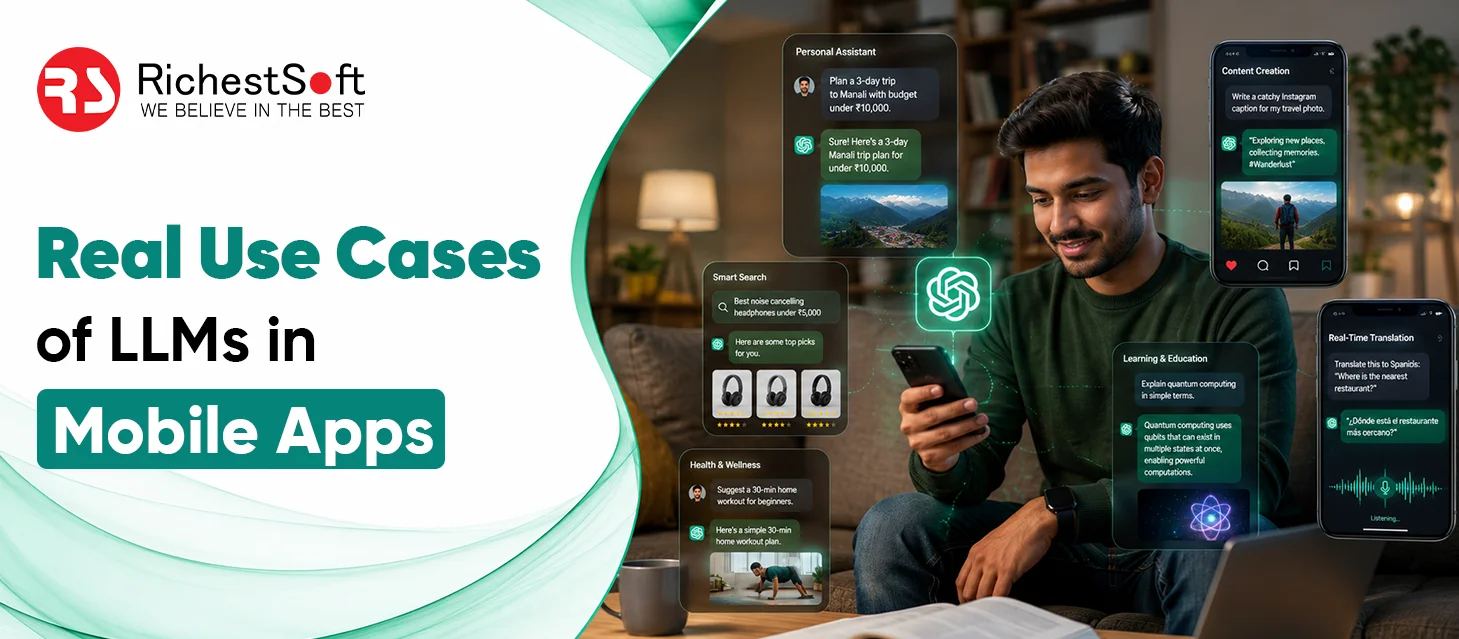
Explore these key use cases of LLMs in mobile apps:
AI Chat Support
Many apps use AI chat assistants to answer customer questions instantly.
Common uses:
- Customer support
- FAQ assistance
- Product information
- Account help
Content Creation
LLMs can help users create content quickly without starting from scratch.
Common uses:
- Writing emails
- Social media captions
- Blog content
- Product descriptions
Language Translation
Apps use LLMs to translate text and conversations more naturally.
Common uses:
- Travel apps
- Messaging apps
- Learning platforms
- Global business communication
Personalized Recommendations
LLMs help apps understand user interests and suggest relevant content.
Common uses:
- Shopping apps
- Streaming platforms
- News apps
- Content discovery
Voice Assistants and Smart Replies
Many apps use AI to make communication faster and easier.
Common uses:
- Voice commands
- Smart reply suggestions
- Virtual assistants
- Hands-free interactions
Text Summaries
LLMs can turn long content into short and easy-to-read summaries.
Common uses:
- Articles
- Reports
- Documents
- Meeting notes
Feedback Analysis
Businesses use LLMs to understand customer feedback automatically.
Common uses:
- Review analysis
- Support ticket sorting
- Customer feedback tracking
- Sentiment analysis
Learning and Education Apps
Educational apps use LLMs to provide more interactive learning experiences.
Common uses:
- Answering student questions
- Explaining difficult topics
- Creating quizzes
- Personalized learning support
Upgrade your app with AI features with RichestSoft
Upgrade your app with AI features with RichestSoft
Conclusion
Want to integrate AI features into your existing app? Partner with RichestSoft, the best custom AI development company, and its AI development experts. We help businesses seamlessly add ChatGPT and advanced AI solutions to their applications, ensuring secure integration, user-friendly experiences, and scalable performance for future growth.